How to Measure an FDM Print With Calipers Without Misreading the Result
The goal when you measure FDM print with calipers is not to find the most reassuring number. It is to compare a defined feature on a cooled, identified part with its nominal dimension or functional requirement. That requires consistent contact points, square jaw alignment, light pressure and repeated readings.
A caliper display alone cannot tell you whether the entire part is accurate. One reading may capture a seam ridge, elephant’s foot, burr or tilted setup. A useful result records what was measured, where it was measured and whether the same result can be reproduced after removing and reseating the tool.
Prepare the part and the inspection record
Let the print cool before measuring it, then identify the exact part and revision. If you are comparing multiple prints or troubleshooting accuracy, record the material, printer, nozzle, layer height, build orientation, slicer profile and any post-processing that could affect the feature. Material behavior, model geometry, nozzle size and calibration can all influence dimensional results, so a value from one setup should not be treated as a universal FDM capability. Prusa makes the same contextual distinction when describing dimensional tolerances from its own testing.
Write down the nominal dimension before picking up the calipers. Obtain it from the controlled CAD file, drawing or other design requirement—not from memory. Give the part a traceable revision identifier; a structured prototype revision labeling method helps prevent a correctly measured print from being associated with the wrong file.
Inspect the feature before measuring. Note strings, burrs, impact damage, a raised seam and visible base flare. Do not quietly trim or sand them unless that post-processing is part of the defined production workflow. Measuring an altered surface and reporting it as an as-printed result makes the record ambiguous.
Choose measurement locations before taking readings
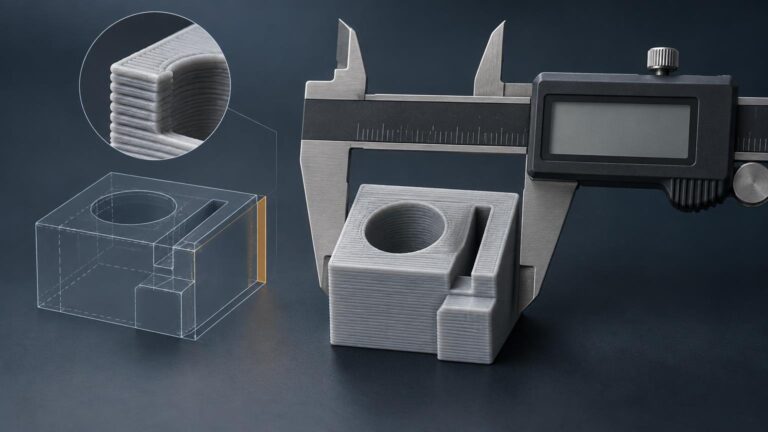
Define representative locations rather than searching around for the value closest to nominal. For an external width, locations A, B and C might be near each end and at the center. For a tall wall, they might be lower, middle and upper positions. Keep the locations far enough from chamfers and edge damage that the jaws contact the intended surfaces.
Treat known artifacts separately when they matter. For example, measure the main wall width at defined locations, then record the base flare as an additional local observation. That shows whether the body is consistently oversized or whether only the first layers create the maximum width.
Match the caliper contacts to the feature
Calipers support different contact arrangements. Outside jaws measure accessible external dimensions, inside jaws measure accessible internal dimensions, and the depth rod or blade measures suitable recesses. Some calipers also support step measurements. Mitutoyo identifies these applications separately in its digital caliper documentation, which is a useful reminder that the correct contact arrangement depends on the feature.
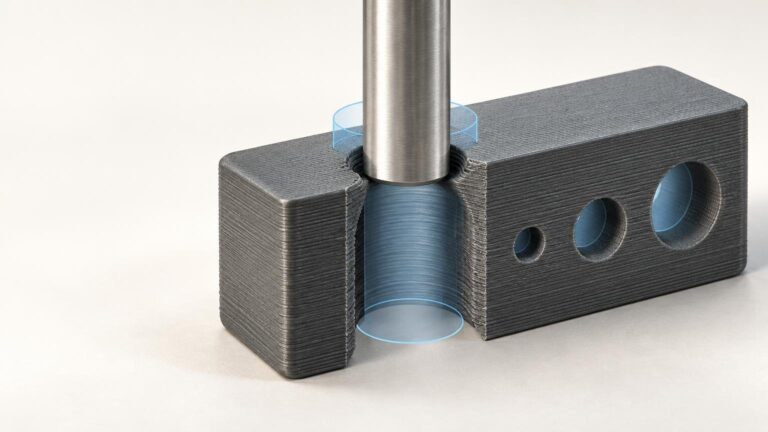
Use outside jaws only when both faces can contact the part cleanly. Inside jaws are suitable for accessible internal spans, but small or deep bores can give misleading results because the jaw geometry may not reach the controlling surface. If diagnosing an undersized bore, first determine where it is tight using the process described in why 3D-printed holes come out too small.
Align the jaws and control contact pressure
Clean the contact faces and check zero according to the instructions for your specific caliper. Model-specific procedures should come from that tool’s manual rather than a generic routine.
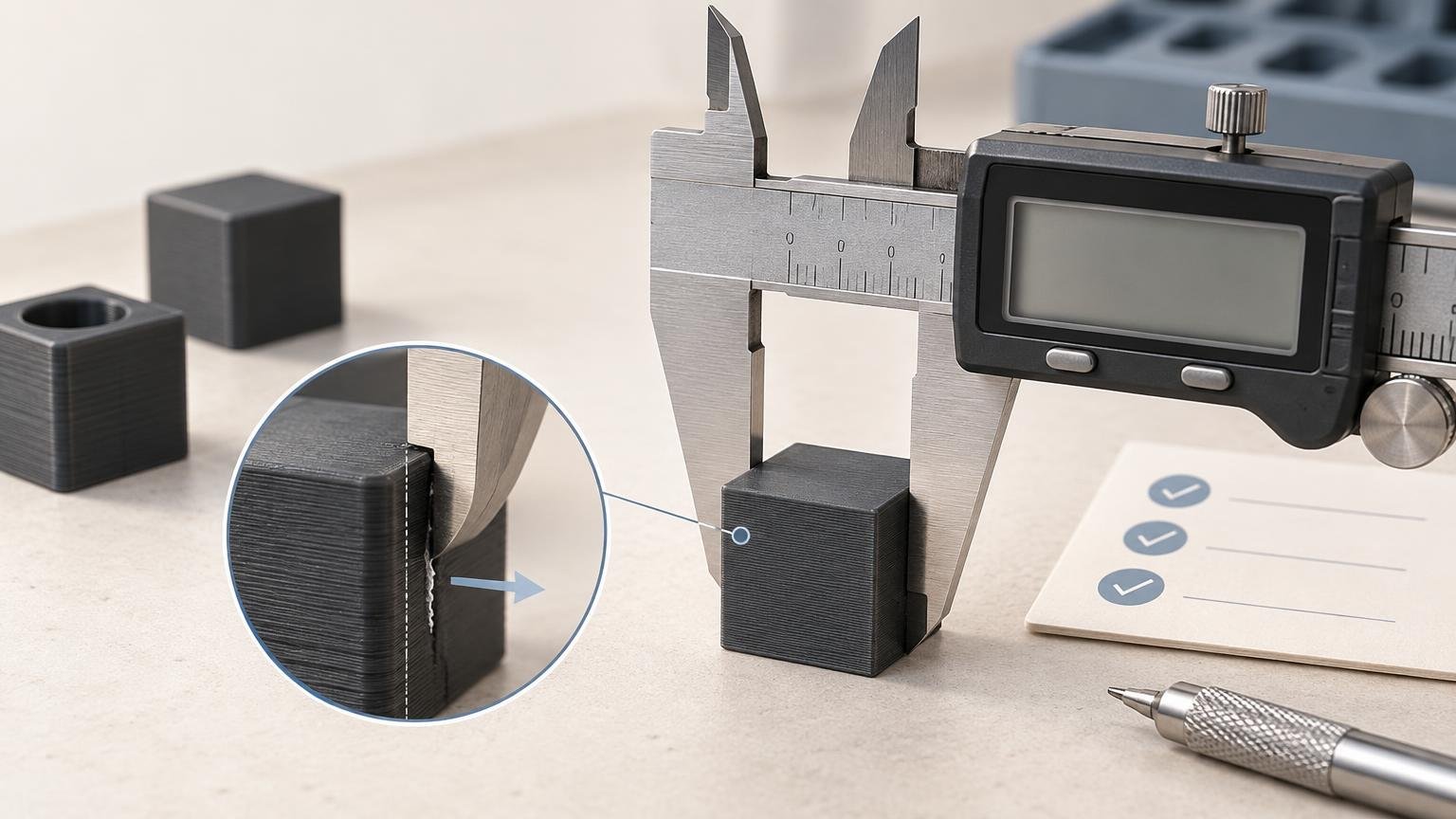
Place the jaws square to the dimension. A tilted caliper can span a diagonal instead of the intended distance. Close the jaws until both contacts just seat, using the lightest consistent pressure that produces stable contact. Do not squeeze until a thin wall bends, and do not twist or rock the caliper while treating the changing display as a search for the preferred number.
Flexible walls need particular care because the measurement force becomes part of the result. If repeat readings change when your grip changes, document that sensitivity. A different fixture or non-contact method may be more appropriate than reporting extra decimal places.
Take and retain repeated readings
Do not average unlike locations until you have looked at the pattern. An average can hide taper, a flared base or one damaged edge. Compare each location with the nominal requirement first. If the part is consistently wrong, continue with a targeted FDM dimensional accuracy calibration workflow instead of applying a blanket scale correction from one measurement.
Separate local defects from overall dimensions
A single high point does not automatically mean the whole feature is oversized. If location A crosses a seam while B and C contact clean walls, report the seam ridge separately. Conversely, do not ignore the ridge when the assembled part must slide through a fixed opening and that local maximum controls whether it works.
The functional requirement decides which result matters. Representative body dimensions help diagnose printer behavior, while maximum envelope dimensions may control insertion and clearance. Both can be valid measurements, but they answer different questions and should be labeled accordingly.
Resolution is not measurement accuracy
Resolution, accuracy and repeatability describe different properties. Resolution is the smallest change the system can indicate under defined conditions. Accuracy concerns closeness to the relevant reference value, while repeatability concerns agreement when the measurement is repeated under consistent conditions.
As one model-specific example, a listed Mitutoyo Series 500 caliper configuration with a 0–150 mm range specifies 0.01 mm resolution, ±0.02 mm accuracy and 0.01 mm repeatability. Those values belong to that listed instrument; they are not specifications for every digital caliper.
More importantly, a 0.01 mm display increment does not establish that your complete measurement process is trustworthy to 0.01 mm. Jaw alignment, contact pressure, surface texture, part flexibility, temperature and operator consistency also contribute. NIST guidance on measurement process characterization cautions that displayed digits alone do not establish measurement-system resolution.
Compare digital geometry with the printed feature
CAD or slicer measurement establishes the intended digital geometry; calipers characterize the physical print. You need both sides of that comparison. PrusaSlicer’s Measurement tool can inspect model distances and angles, although its documentation notes limitations involving conditions such as overlapping parts and negative volumes.
Confirm that you are measuring the same surfaces in both contexts. A CAD diameter, a slicer preview span and a caliper reading across printed layer ridges may not represent an identical geometric definition. Record the nominal source and the physical contact locations so the comparison can be repeated.
Use a simple measurement record
Record the part or file revision, material, orientation, nominal source, caliper make and model, available instrument specifications, zero-check status, date and inspection condition above the table. Then use one row per defined location.
| Feature and location | Nominal dimension | Reading 1 | Reading 2 | Reading 3 | Surface condition | Observation |
|---|---|---|---|---|---|---|
| A | — | — | — | — | — | — |
| B | — | — | — | — | — | — |
| C | — | — | — | — | — | — |
The dashes are blank fields, not example readings. If a location crosses a seam, base flare or damaged area, say so in the surface-condition column. That observation can be more informative than another decimal place.
Know when calipers are not enough
Use another inspection method when the feature cannot be contacted reliably or when the requirement concerns more than a simple span. Small or deep bores may need suitable pin gauges or bore-measurement equipment. A micrometer may be preferable for an accessible external thickness requiring more controlled contact. Flatness, perpendicularity, roundness, taper and center-to-center relationships may require fixtures, a surface plate, gauges, optical inspection or coordinate-measurement equipment.
The method must match both the geometry and the consequence of being wrong. Caliper readings and a successful functional prototype can support an iterative design decision, but they do not by themselves establish suitability for a safety-critical application. Such decisions require an appropriate inspection plan, validated requirements and qualified review.
Measure the process, not just the part
A defensible result states the feature, nominal dimension, contact locations, part condition, instrument and repeated readings. Start with a cooled, identified part; use the correct contacts; align them squarely; apply minimal consistent pressure; and keep local artifacts separate from representative dimensions.
If the readings disagree, do not hide the disagreement in an average. Recheck the setup, inspect the surfaces and decide whether the calipers are appropriate for the feature. The best measurement is not the one with the most digits—it is the one another person can understand and reproduce.
Frequently Asked Questions
Should an FDM print cool before it is measured?
Yes. Measure the cooled part and record its identity, revision and inspection condition so later readings refer to the same defined part and setup.
Where should caliper readings be taken on a printed part?
Choose representative, labeled locations before measuring, such as positions near each end and at the center. Avoid chamfers and damaged edges unless those areas are specifically being inspected.
How many caliper readings should be taken at each location?
Take three readings as a practical repeatability check. Fully remove and reseat the caliper each time, then retain all three values and any observations.
Should repeated readings be averaged?
Inspect the pattern before averaging. Combining unlike locations can conceal taper, base flare, edge damage or another localized condition.
How should seams and elephant’s foot be handled?
Record them as local surface conditions and measure representative surfaces separately. If a local maximum controls fit or clearance, document that functional measurement as well.
Does a 0.01 mm display increment mean the measurement is accurate to 0.01 mm?
No. Displayed digits alone do not establish measurement-system resolution, and the result is also affected by alignment, contact pressure, surface texture, flexibility, temperature and operator consistency.
When are calipers not suitable for an FDM feature?
Use another method when contact is unreliable or the requirement involves features such as small or deep bores, flatness, perpendicularity, roundness, taper or center-to-center relationships. Safety-critical decisions require an appropriate inspection plan, validated requirements and qualified review.